Tabs
Tabs work as in a browser: each tab remembers where you are, and you can keep several places in the ADR open at once. Your tabs are saved, so they are there again the next time you sign in.
A tab remembers not just the section but also the paragraph or row you had reached. If you reload the page or close the browser, the tab opens there again. On another computer or phone it opens where you were at most a couple of minutes ago. If the text is not in the edition or language you read, the tab opens at the start of the section.
Open a new tab
Copy link to “Open a new tab”- Choose the plus button to the right of the tabs at the top.
- Search the agreement, or choose a part or a document in the sidebar. The new tab shows what you chose.
How to open a section straight into a new tab from the sidebar is in Open a section.
Switch tabs
Copy link to “Switch tabs”Choose the tab at the top (1). The tab shows the place you left it at.


Rename, lock or duplicate a tab
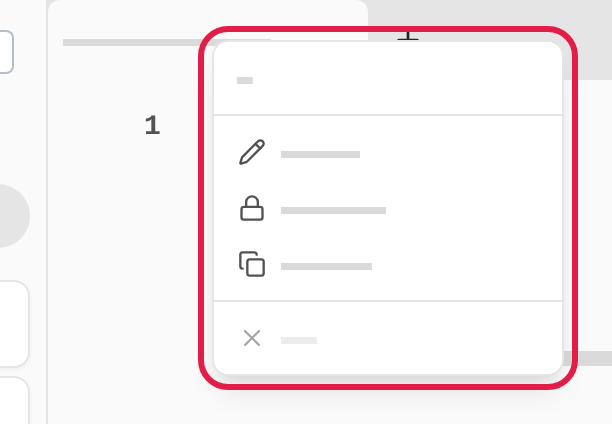
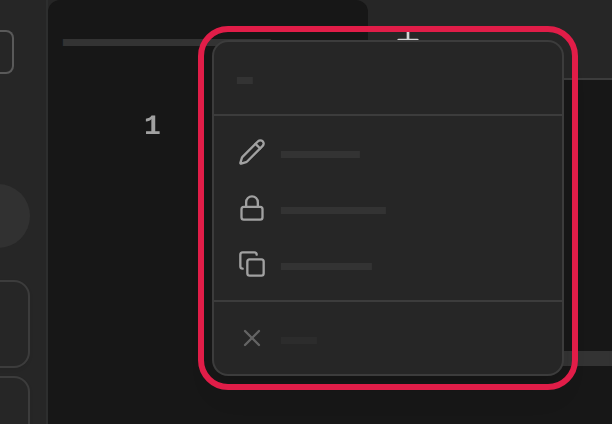
Copy link to “Rename, lock or duplicate a tab”- Right-click the tab, or press and hold it on a phone.
- Choose in the menu:
- Rename… to give the tab a name of its own. Type the name in the Name field and choose Save. Choose Clear name to remove it again.
- Lock tab… to make the tab always return to the place in the section it shows now. A window asks whether you want to lock the tab. Choose Lock tab in it.
- Duplicate to open a copy of the tab at the far right.
Close a tab
Copy link to “Close a tab”- Choose the cross (1) on the tab. The cross shows on the open tab, and on the others when you point at them.
- You can also right-click the tab and choose Close, or press the middle mouse button on the tab.


If a tab is locked, a window asks whether you want to close the locked tab. Choose Close tab in it.